How to Browse for Jobs
Browse jobs that match your preferences.
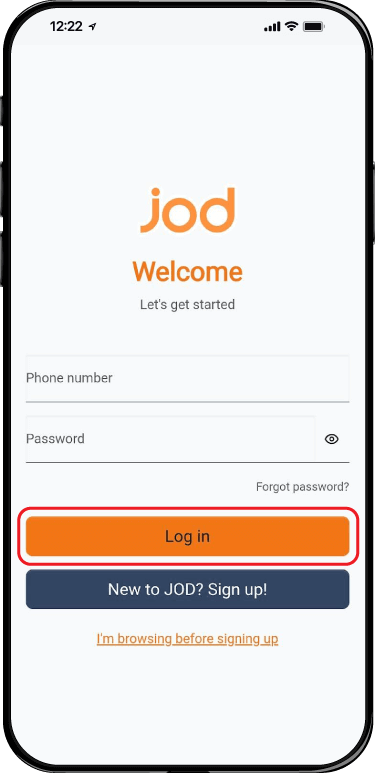
Back to GuidesStep 1. Sign In using Your Account
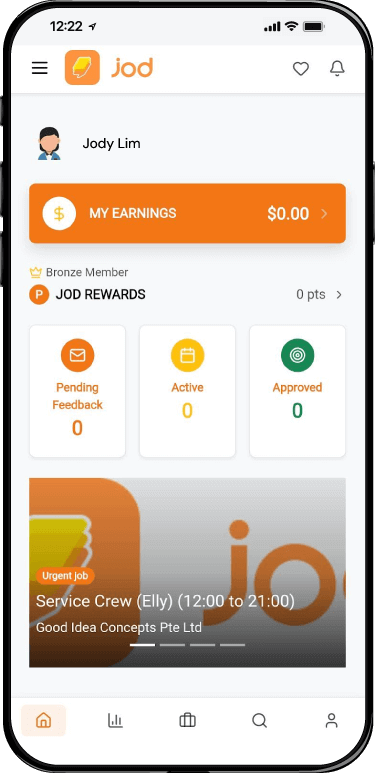
Step 2. Arrived at The Homepage
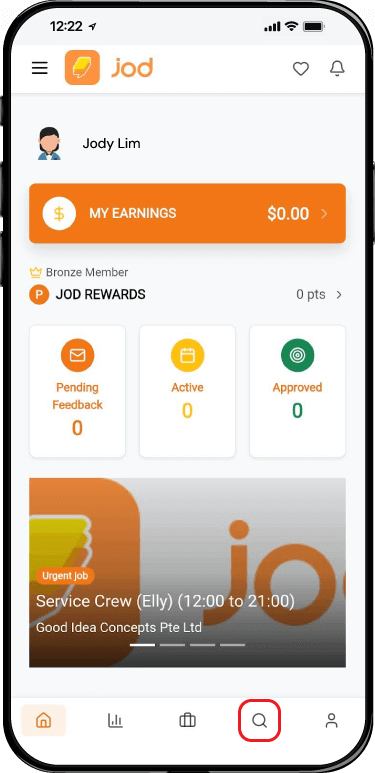
Step 3. Click The “Search Button” Icon on The Bottom Row (Second Icon to The Right) Or Click The “Menu Button” on The Top Left (Next to Jod Logo)
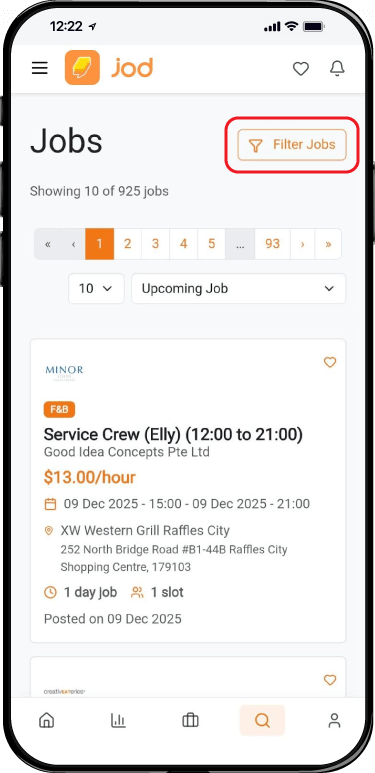
Step 4. Scroll The Job List Or You can also filter the job list by using “Filter Jobs” button on the Top Right
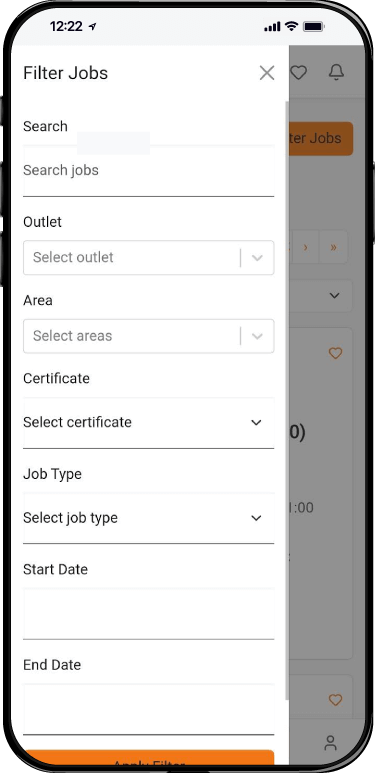
Step 5. Fill in the criteria that you want for filtered out specific jobs that you want
How to Browse for Jobs
Browse jobs that match your preferences.
Back to GuidesStep 1. Sign In using Your Account
Step 2. Arrived at The Homepage
Step 3. Click The “Search Button” Icon on The Bottom Row (Second Icon to The Right) Or Click The “Menu Button” on The Top Left (Next to Jod Logo)
Step 4. Scroll The Job List Or You can also filter the job list by using “Filter Jobs” button on the Top Right
Step 5. Fill in the criteria that you want for filtered out specific jobs that you want